


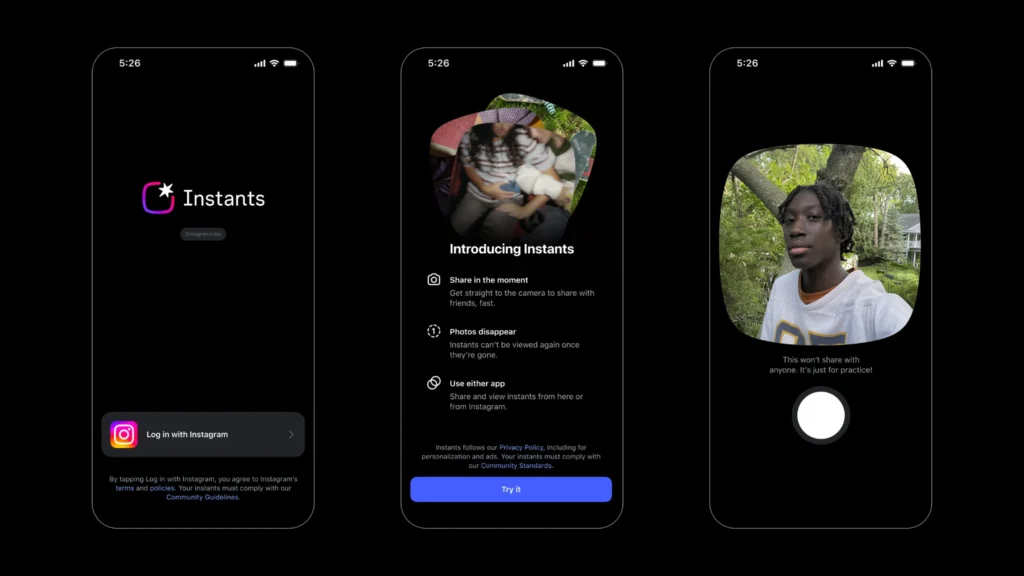
Instagram recently introduced a new feature called “Instants,” designed to let users quickly share photos that disappear after a short period of time. The idea behind the feature is to make sharing real-time moments with friends easier and more spontaneous. However, many users are still confused about how it works, leading some people to accidentally share photos without realizing it. As a result, several users are now searching for ways to disable the feature.
For those unfamiliar with Instants, the feature can be accessed through the small photo-stack icon located at the bottom-right corner of the Instagram inbox. Once opened, Instagram provides a brief introduction explaining the feature. One notable aspect is that photos shared through Instants do not show a public viewers list, while reactions and replies remain private.
After opening the feature, users will see a feed containing photos shared by people they follow. Swiping allows users to browse through different posts, while swiping left or upward immediately opens the camera. Users can then capture a photo using either the front or rear camera and instantly share it.
The feature also lets users decide who can see their content by choosing between “Friends” and “Close Friends.” However, the default setting is “Friends.” Many users reportedly did not realize that once they clicked a photo, it could automatically be shared with people on their friends list, leading to accidental photo-sharing incidents.
Several users only discovered they had posted an image after receiving reactions in their inbox, raising concerns about privacy and unintended sharing.
How to Disable Instagram Instants
If you want to turn off the Instants feature, follow these steps:
- Open your Instagram profile
- Tap the three-line menu in the top-right corner
- Go to Settings
- Scroll down and select Content Preferences
- Find “Hide Instants in Inbox”
- Turn on the toggle beside it
After enabling this option, the feature will no longer appear in your inbox.
Accidentally Shared a Photo? Here’s How to Undo It
If you accidentally shared a picture through Instants, Instagram also provides an option to undo it.
Simply tap the Undo button located below the camera shutter button. Once selected, a message saying “Unshared” will appear on your screen.
Users can also access their Instants archive by tapping the four-square icon in the top-right corner. From there, they can view previous posts, download them, create recaps, or delete them.
Instagram officially launched Instants on May 13 as a one-tap photo-sharing feature for close friends and mutual followers. Photos disappear after being viewed and automatically expire within 24 hours. Users also have the option to edit photos before sharing them.
According to Meta, Instagram’s existing safety tools such as Block, Restrict, and Mute will also work with Instants. Teen users will additionally receive protections through Teen Accounts and the Family Center, including screen-time controls, sleep mode, safety features, and parental supervision tools.